git commit --amend
- Family所属
- git
- Kind类型
- flag参数
- Tier层级
- intermediate进阶
Rewrite the last commit instead of adding a new one修改上一次提交,不产生新提交
git.commit.amend
 Harry Xin
SkillTree reads your shell history, identifies every command and flag against a field guide of 108 entries across 10 tools, and shows what you already use, what you have not met yet, and one small next step.SkillTree 读取你的 shell 历史,对照一本收录 10 种工具、108 个条目的图鉴,辨认出每一条命令和参数,告诉你哪些已经熟悉、哪些还没见过,以及值得尝试的下一步。
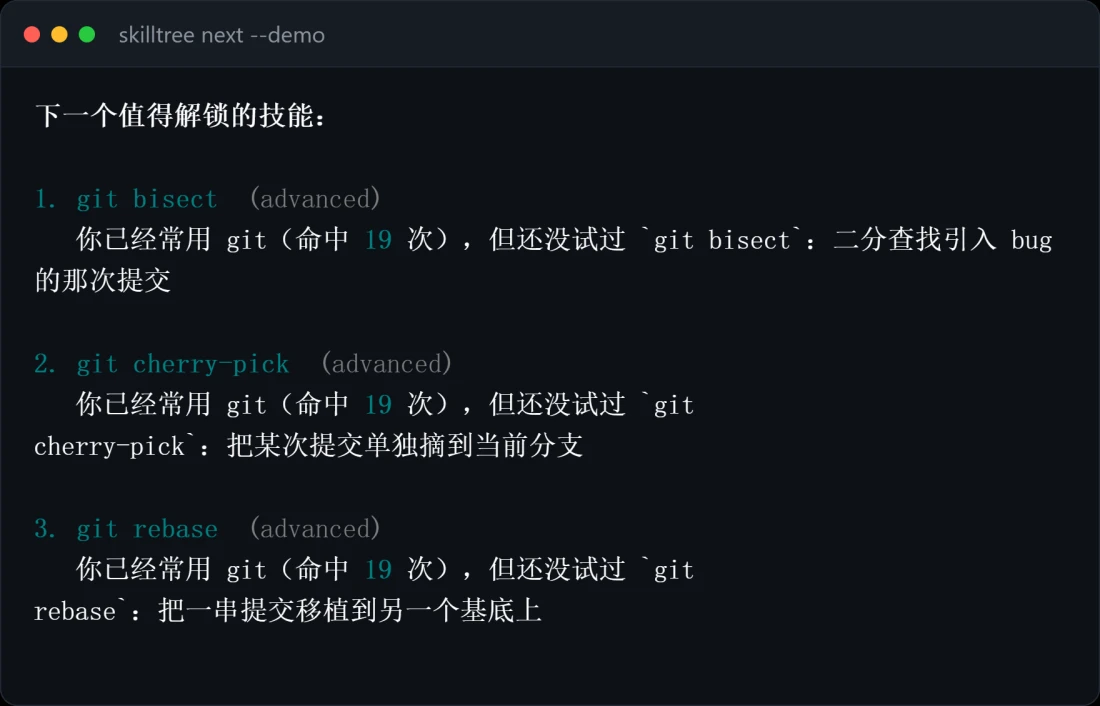
Plate I · the bundled demo history, grown图版 I · 内置示例历史长成的树
The counts and commands are SkillTree’s own analysis of its bundled demo history, not anyone’s real history. Solid labels are commands the demo history used; dashed labels are ones it has not used yet.图中的数量与命令来自 SkillTree 对内置示例历史的分析,并非任何人的真实记录。实线标签为示例历史中用过的命令,虚线标签为尚未使用的命令。
Solid label: a command the history has used. Its branch is in leaf.实线标签:历史里用过的命令,这一枝已经长出叶子。
Dashed label: in the guide, not yet in the history.虚线标签:图鉴里有,但历史里还没出现过。
Three tiers, basic, intermediate and advanced, from the trunk out to the tips.三个层级:基础、进阶、高阶,从主干一直长到枝梢。
A command appearing in your history shows that you have used it, not that you have mastered it. The guide is a map of what is nearby, not a grade.一条命令出现在历史里,只说明你用过它,并不等于已经掌握。这本图鉴是一张「附近还有什么」的地图,不是成绩单。
| Tool工具 | Unlocked in the demo history示例历史中已解锁 | Tiers in the guide图鉴中的层级构成 |
|---|---|---|
gitVersion control分布式版本控制 | 10 / 15 | |
dockerContainers容器化构建与运行 | 12 / 14 | |
kubectlKubernetes clustersKubernetes 集群操作 | 7 / 13 | |
grepText search文本搜索 | 5 / 12 | |
curlHTTP from the shell命令行 HTTP 客户端 | 7 / 11 | |
sshRemote login and tunnels安全远程登录与隧道 | 3 / 11 | |
tarArchives归档与压缩 | 5 / 11 | |
findFinding files按条件查找文件 | 5 / 10 | |
sedStream editing流编辑器(按行变换文本) | 3 / 7 | |
awkColumn processing按列处理文本的小语言 | 2 / 4 | |
| Total合计 | 59 / 108 | 36 basic基础42 intermediate进阶30 advanced高阶 |
Counts from the knowledge base in the repository and from skilltree stats --demo. The demo history unlocks 33 basic and 26 intermediate entries, and no advanced ones yet.数量取自仓库中的知识库与 skilltree stats --demo。示例历史解锁了 33 个基础条目、26 个进阶条目,高阶条目一个也还没有。
Each entry is one human-readable YAML record: an id, a kind, a tier, the invocation and a one-line description. Adding a tool means adding one file.每个条目是一段可读的 YAML 记录:编号、类型、层级、调用方式和一句说明。新增一种工具,只需要新增一个文件。
git commit --amend
Rewrite the last commit instead of adding a new one修改上一次提交,不产生新提交
git.commit.amendgit bisect
Binary-search for the commit that introduced a bug二分查找引入 bug 的那次提交
git.bisecttar -z
Compress or extract with gzip (.tar.gz)用 gzip 压缩/解压(.tar.gz)
tar.gzipfind -name
Find by file name, case-sensitive, with wildcards按文件名(区分大小写、支持通配)查找
find.namedocker run --rm
Remove the container when it exits容器退出后自动删除,不留垃圾
docker.run.rmgrep -r
Search a whole directory recursively递归搜索整个目录
grep.recursiveThe tokenizer is the heart of the project. Real history is messy: quotes, pipes, chains, clustered flags, flags that take values. Four cases it handles, as the parser sees them. Pipes and && or ; chains are first split into separate commands.分词器是整个项目的核心。真实的历史记录很杂乱:引号、管道、命令串联、合写的短参数、需要带值的参数。下面是它处理的四种情况,以解析器眼中的样子呈现。管道和 &&、; 串联的命令会先被拆成独立的几条。
$ git commit -m "fix: typo"
gittool工具commitsubcommand子命令-mflag参数"fix: typo"value值"fix: typo" is the value of -m, not a flag.尊重引号:"fix: typo" 是 -m 的值,不会被当成参数。$ tar -xzf backup.tar.gz
tartool工具-xflag参数-zflag参数-fflag参数backup.tar.gzvalue值-xzf becomes three flags.合写的短参数按 getopt 规则拆开:-xzf 变成三个参数。$ git -C repo commit --amend
gittool工具-Cflag参数repovalue值commitsubcommand子命令--amendflag参数-C takes a value, so the subcommand is still commit.-C 需要带值,所以子命令仍然是 commit。$ find . -name "*.py"
findtool工具.value值-nameflag参数"*.py"value值find uses single-dash long options: -name stays whole, never -n -a -m -e.find 的长选项只用一个短横线:-name 保持完整,不会拆成 -n -a -m -e。The guide and the parser can never disagree: each entry’s invocation is run through the same tokenizer as your real history to decide what it matches.图鉴和解析器不会出现分歧:每个条目的调用方式,都用解析真实历史的同一个分词器处理,以此决定它匹配什么。
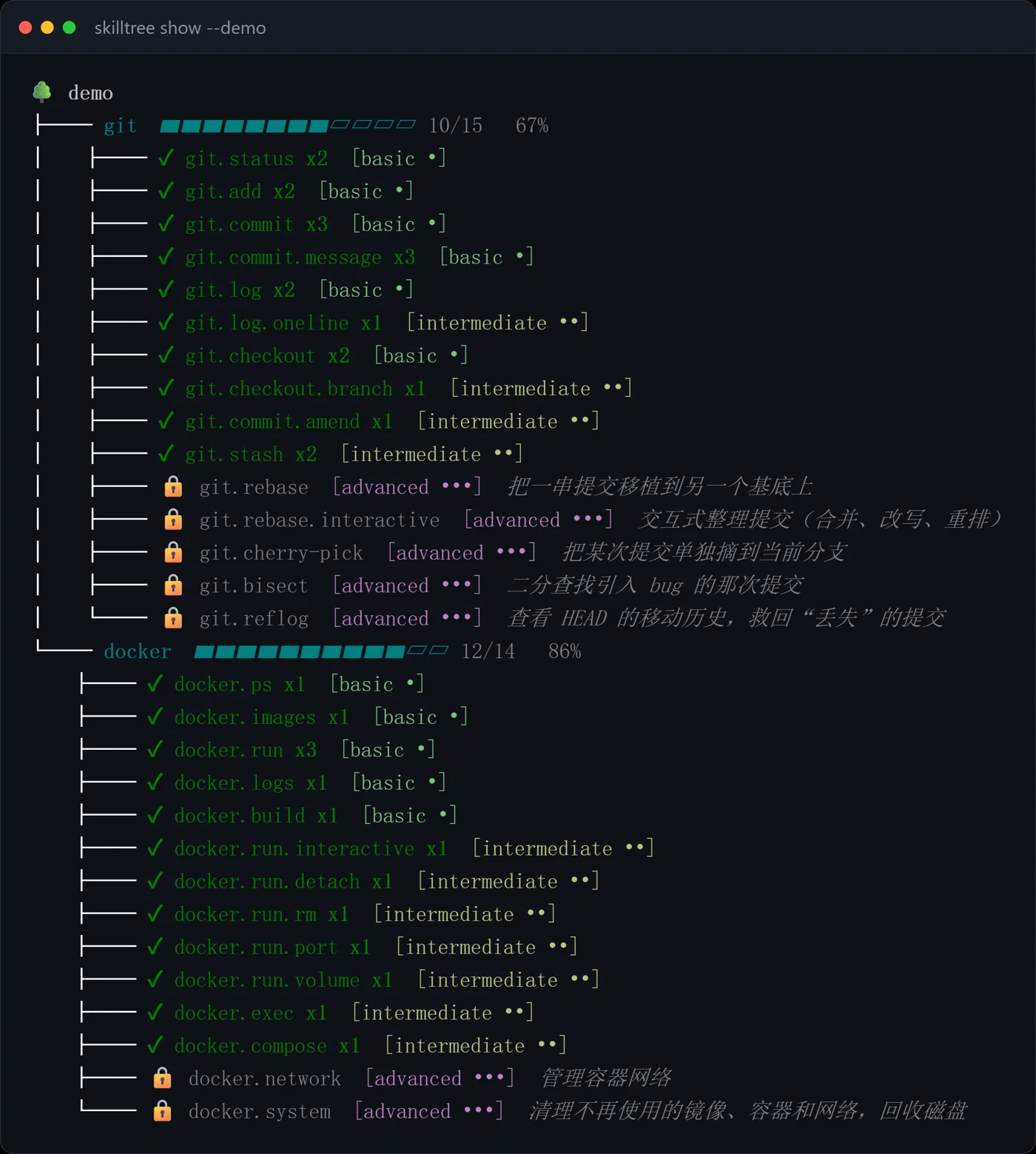
skilltree show --demo · the whole tree整棵树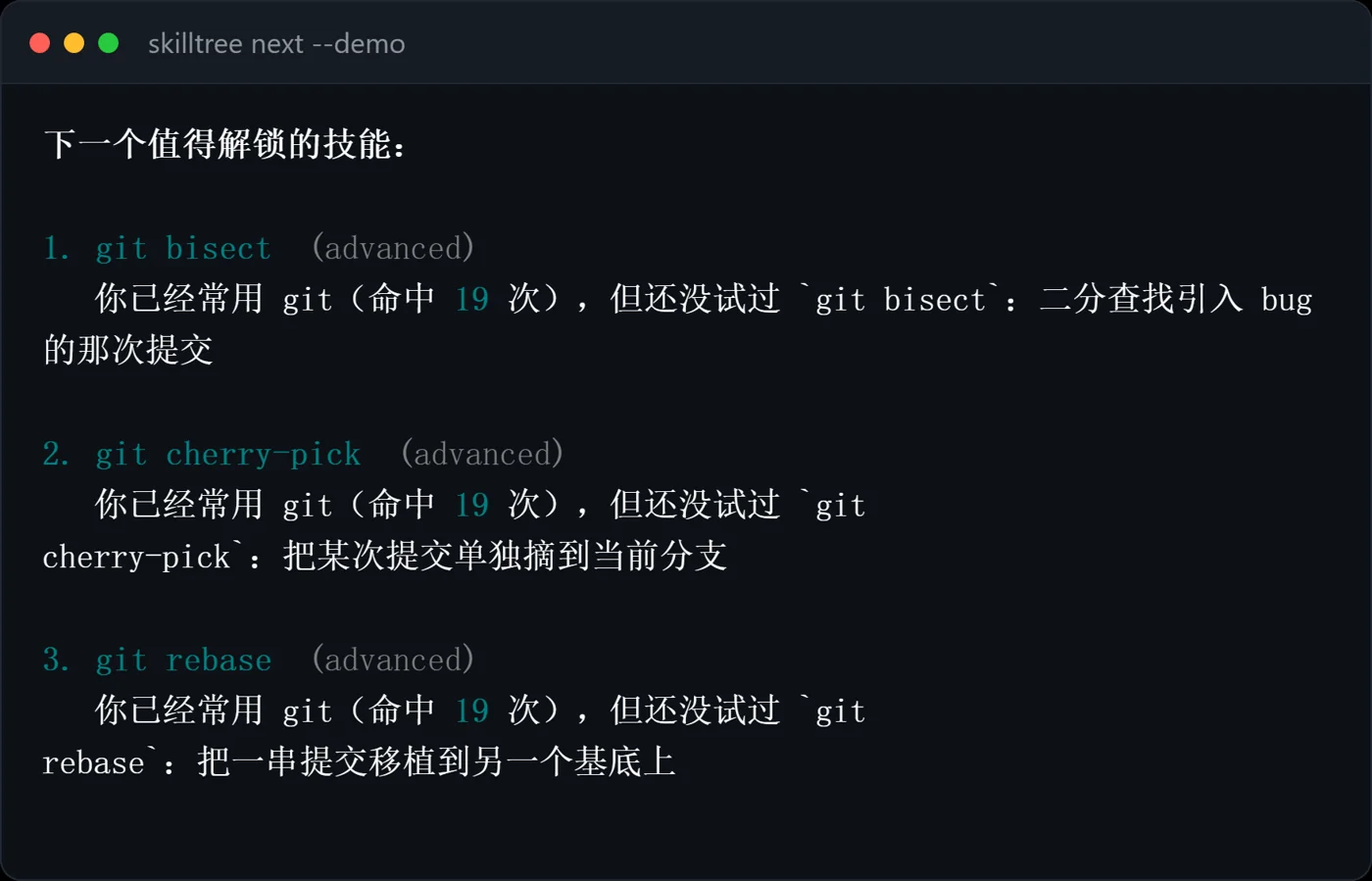
skilltree next --demo · what to learn next下一步学什么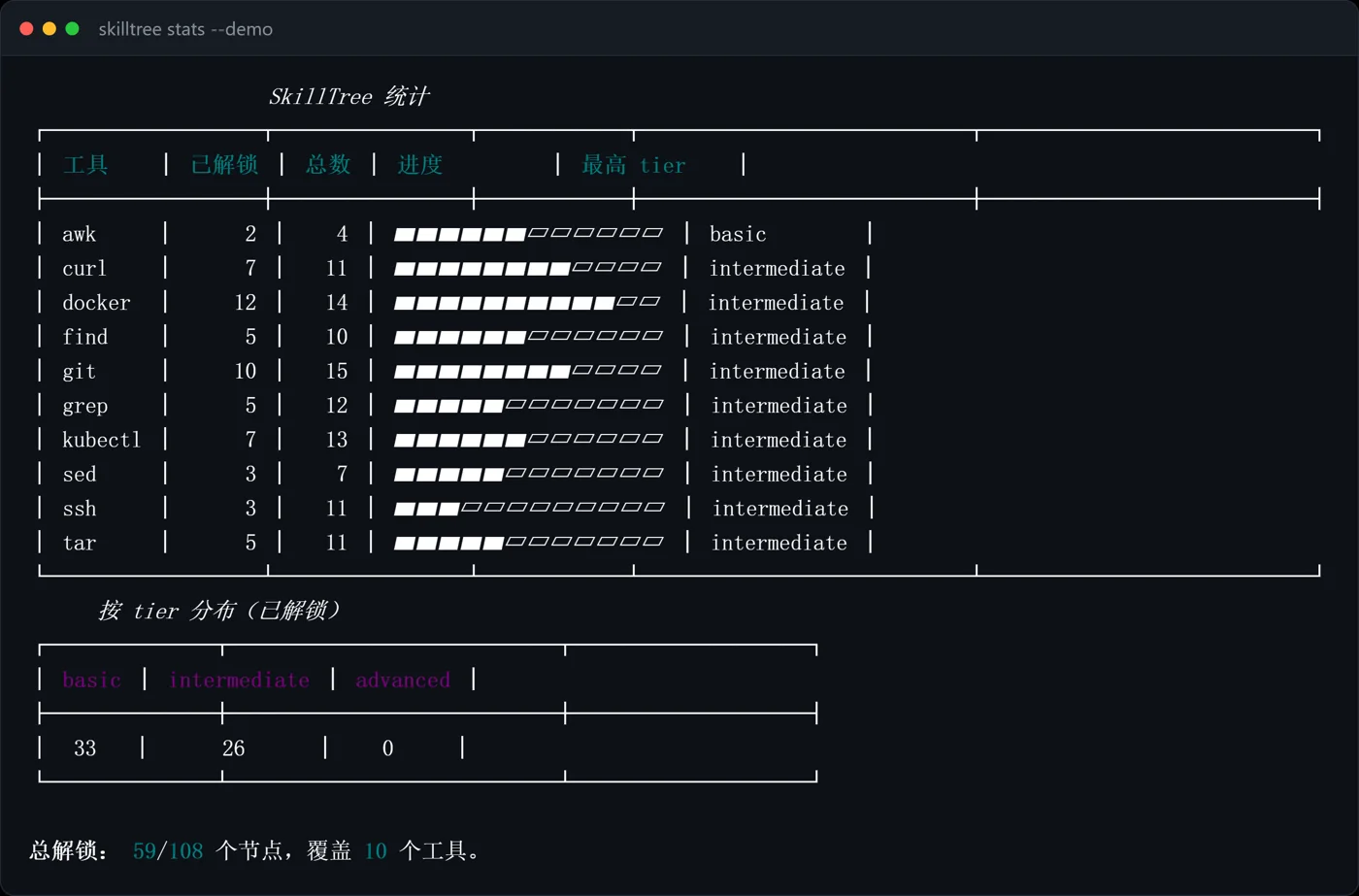
skilltree stats --demo · the summary统计Rendered by the repository from its bundled demo history, so they always match the current output.由仓库根据内置示例历史渲染,因此始终与当前输出一致。
Shell history can contain passwords, tokens and internal hostnames. SkillTree has no network code; all analysis runs offline. Start with --demo, which never touches your real history.shell 历史里可能有密码、令牌和内网主机名。SkillTree 不含任何联网代码,所有分析都在本地离线完成。可以先用 --demo 体验,它不会读取你的真实历史。
showthe tree画出整棵树nextwhat to learn next推荐下一步statsthe summary统计概览snapshot · growthgrowth over time, kept locally in SQLite记录与查看成长曲线,存于本地 SQLitepracticea safe drill for an unexplored flag为未探索的参数生成安全的练习pipx install .From a clone of the repository. Python 3.11+, MIT, 38 tests, CI with ruff and pytest.在仓库克隆目录中运行。Python 3.11+,MIT 协议,38 项测试,CI 使用 ruff 与 pytest。